
Patient view (screen sharing)
One toggle that hides everything clinician-only, so you can share your screen in session without exposing alerts, notes, weight, calories, or other patients.
Patient view is a screen-share mode for the dashboard. One click hides everything the patient is not supposed to see, so you can walk them through their own data in session, on a shared screen or a turned laptop, without a stray concern alert or calorie number appearing.
Make it a habit: click Patient view first, then start the screen share. The banner confirms the page is safe before anything is visible to the patient.
Turning it on and off
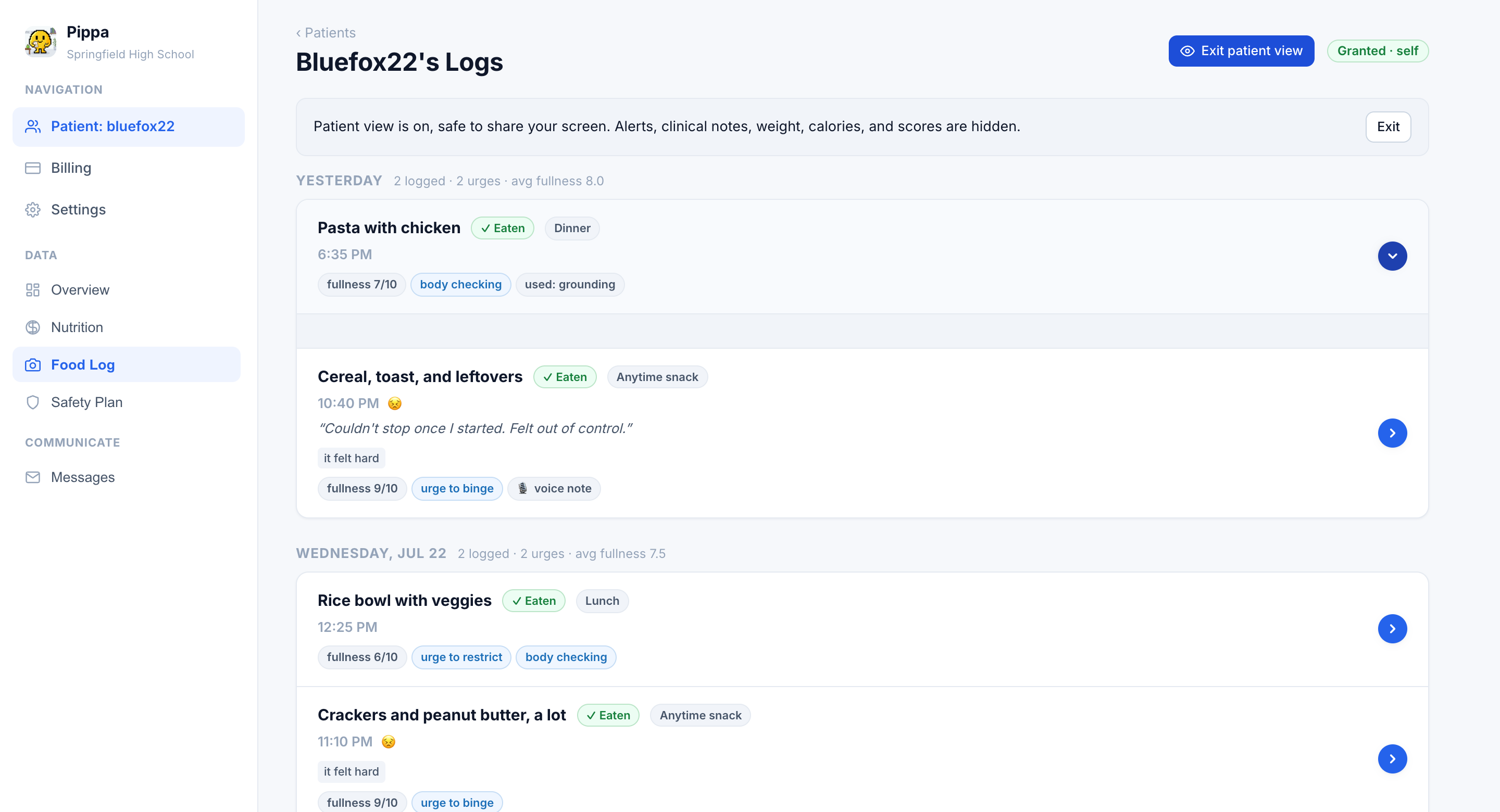
The Patient view button (with an eye icon) sits in the patient page header, next to the consent badge. Click it once to enter patient view; the button becomes Exit patient view and a banner confirms:
Patient view is on, safe to share your screen. Alerts, clinical notes, weight, calories, and scores are hidden.Patient view stays on while you navigate, including to the roster and back, and switches off when you click Exit (in the banner or the header) or close the browser tab.
What gets hidden
Everything that exists for you rather than for the patient disappears:
- The concern panel and every alert. No severity badges, no at-risk language.
- The stat tiles and clinician controls. Weight, height, calorie goal, progress-bar picker, the check-in tiles, and the three collapsed control cards all vanish.
- Calories and scores everywhere. Meal rows drop their calorie numbers, charts that plot weight or calories are gone, and measure scores are not reachable.
- Clinical notes and private notes. Your private note on a meal is hidden; the meal review form itself is hidden too, so you cannot accidentally type a note on screen.
- Purge answers. The purge chip is treated as clinician-facing and is hidden.
- Clinician-only tabs. The sidebar reduces to Overview, Nutrition, Food Log, Safety Plan, and Messages. If you were on a hidden tab, the page falls back to Overview.
What stays visible
Patient view is not a blank page. Everything the patient authored, or already sees in their own app, stays:
- Their logged meals, photos, feelings, fullness, urges, coping chips, and custom-question answers. They disclosed these; reviewing them together is the point.
- Comments you wrote for the patient (the ones their app shows on a meal).
- Nutrient grams, only when nutrition visibility is in numbers mode for this patient, and only the nutrients you chose. The dashboard mirrors exactly what their app shows, nothing more.
- The safety plan and your message thread with them.
The roster hides itself too
Patient view follows you to the roster, so navigating away mid-session cannot flash your other patients' names on screen. The list is replaced by a quiet card until you exit.

Showing one patient another patient's name or risk status is a privacy breach, and showing a patient their own calorie or weight data can be clinically harmful. Patient view exists so that neither depends on you scrolling carefully.