
The check-in question editor
Shape the post-meal 'how it felt' sheet per patient: toggle the built-in questions, gate the purge follow-up, and add up to ten custom questions of your own.
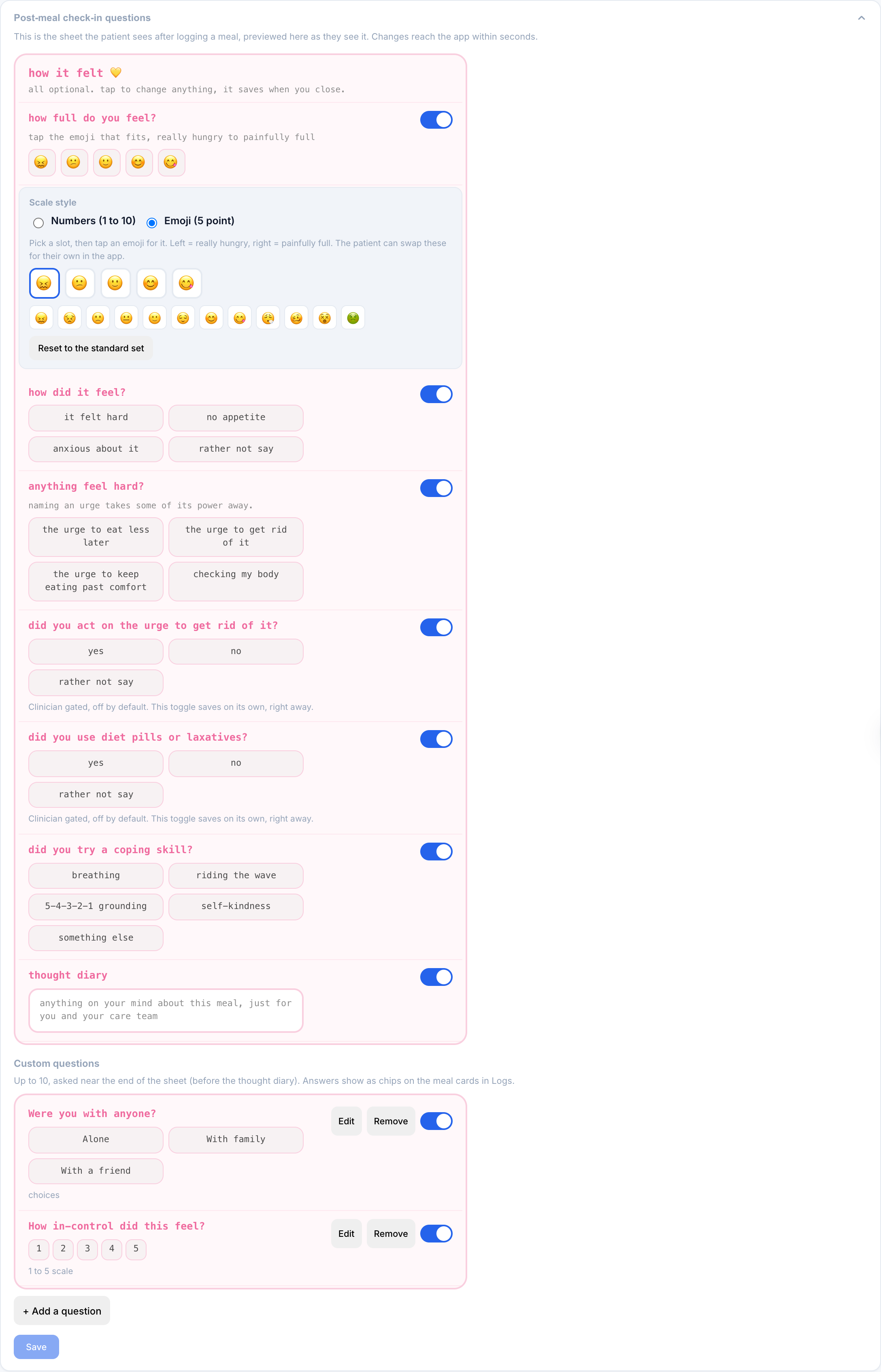
The Post-meal check-in questions card on the patient page lets you decide, per patient, exactly which questions the post-meal reflection asks. It renders as a faithful pink replica of the sheet the patient sees in their app, so what you are looking at is what they get. Changes reach the app within seconds of saving.
The card sits below the stat tiles, collapsed to a one-line summary like 4 of 5 built-ins on · purge follow-up off · 2 custom. Click it to expand.
The built-in questions
Each built-in section of the reflection has its own toggle, in the order the patient sees them:
| Question | What it collects |
|---|---|
| how full do you feel? | Fullness, 1 to 10 |
| how did it feel? | Feeling chips (qualitative, never an amount) |
| anything feel hard? | Urge chips (restrict, purge, binge, body checking) |
| did you try a coping skill? | Coping-skill chips |
| thought diary | A free-text note for you and the patient |
Turning a question off removes that section from the sheet entirely. The rest of the sheet closes ranks; nothing shows as "disabled" to the patient. Toggles here save together with the Save button at the bottom of the card.
Fullness as numbers or emoji
The fullness question can be shown two ways. Numbers (1 to 10) is the default 1-to-10 scale. Emoji (5 point) instead shows five faces the patient taps; you pick a standardized set of five, and the patient can swap in their own emojis if a face does not fit them. Either way the value is tracked the same on your side, so switching the display never breaks the history.
The Meal check-in tile above the card turns the whole reflection on or off. This card shapes what the reflection asks once it is on.
The purge follow-up, in its real position
The clinician-gated purge follow-up (did you act on the urge to get rid of it?) appears in the replica exactly where it sits in the sheet, between urges and coping skills. It is off by default and greyed out until you enable it.
Unlike the other toggles, this one saves on its own, instantly, with no separate Save click. The card notes this under the question. When and why to enable it is covered in Enabling the purge follow-up.
Custom questions
Below the built-ins you can add up to ten questions of your own. They are asked near the end of the sheet, after coping skills and before the thought diary. Three answer types:
- Free text. A short open answer in the patient's own words.
- Choices. Two to six options you write; the patient taps one chip.
- Scale. 1 up to a maximum you pick (3 to 10).
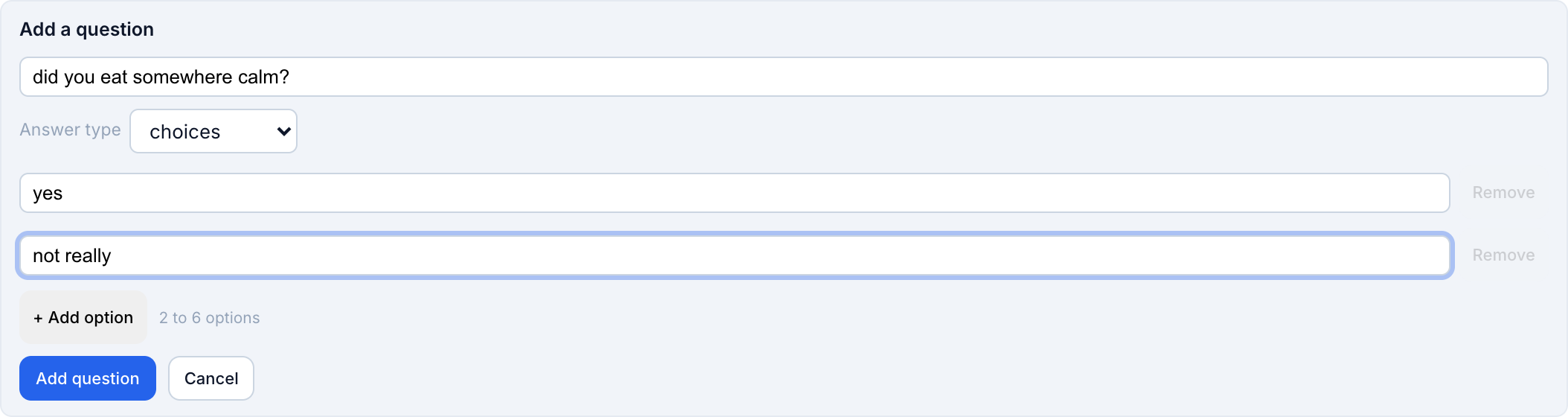
Each custom question gets the same per-question toggle as the built-ins, plus Edit and Remove. Answers come back to you as prompt: value chips on the meal cards in the Food Log, alongside fullness and urges.
The built-ins are worded to never ask about amounts, portions, calories, or body size, and your questions should follow the same rule. Good custom questions ask about context and experience ("did you eat with someone?", "what helped, even a little?"), not about how much was eaten. Every question is optional for the patient, always.
Voice diary
The Voice diary card lets the patient talk instead of type. When it is on, the thought diary and free-text answers can be spoken: the patient's phone transcribes the speech on the device, they can edit the text before saving, and only the finished text is shared with you. The audio itself never leaves the phone.
You can also add short Talking prompts, a few gentle lines that show while they talk to give them something to speak to ("what was going through your mind?"). Keep them optional and warm, the same as any check-in wording.
How saving works
The built-in toggles and custom questions save together with the card's Save button; the purge follow-up saves instantly on its own. Either way the patient's app picks the change up within seconds, and the next meal they log uses the new sheet. Answers a patient already gave are never deleted by turning a question off later.