
The Measures tab
Standardized measures, descriptive TFBT chain check-ins, clinic surveys, and how results appear.
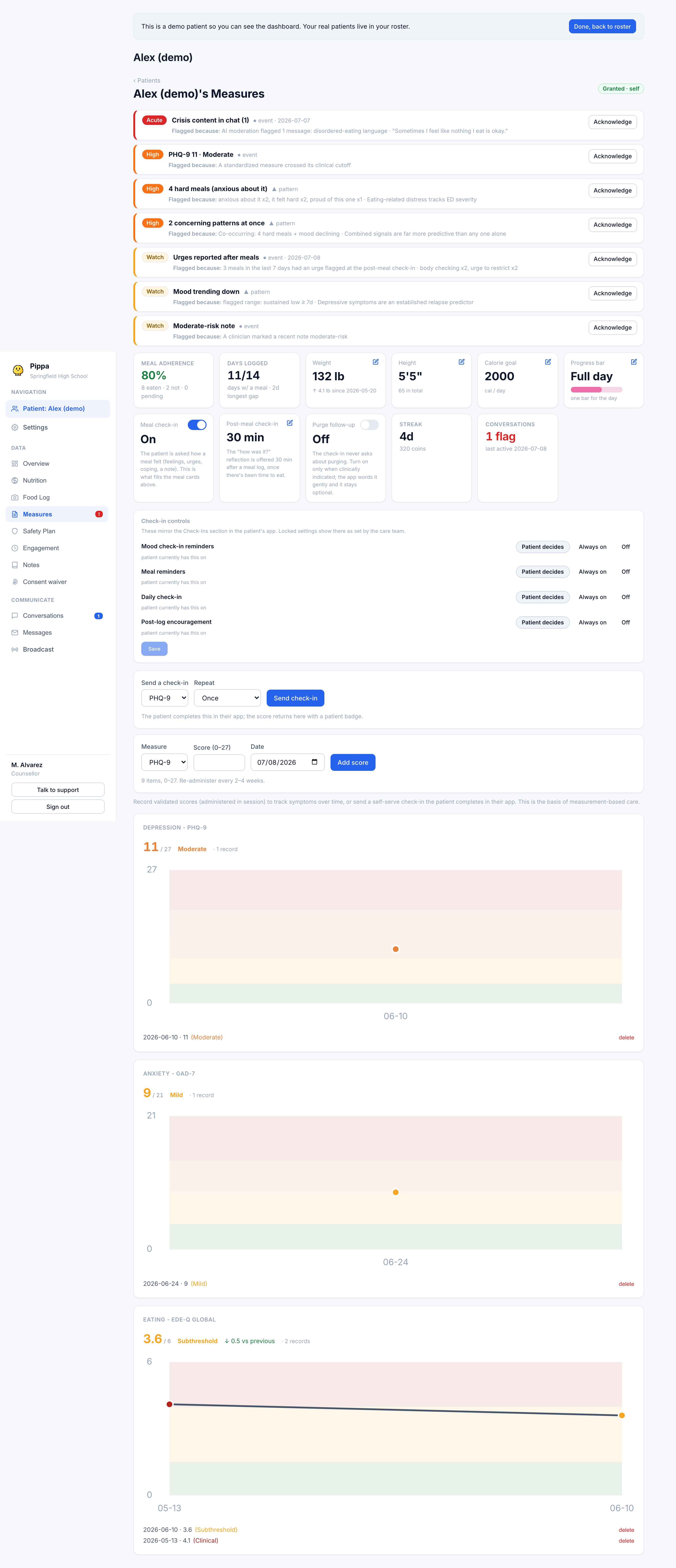
The Measures tab is where you track validated symptom scores over time. You have two ways to get a score in: record one you administered in session, or send the patient a self-serve check-in they complete in their own app. Either way the score lands on a trend chart with its severity band, so you can watch a symptom move across weeks. This is the basis of measurement-based care.
The instruments and their bands
The five instruments summarized here are standardized measures. Higher scores mean more severe on every one. The bands below are the validated cutoffs the dashboard colors and alerts on.
| Instrument | Measures | Range | Bands |
|---|---|---|---|
| PHQ-9 | Depression | 0 to 27 | 0 to 4 minimal, 5 to 9 mild, 10 to 14 moderate, 15 to 19 moderately severe, 20 to 27 severe |
| GAD-7 | Anxiety | 0 to 21 | 0 to 4 minimal, 5 to 9 mild, 10 to 14 moderate, 15 to 21 severe |
| SCOFF | Eating-disorder screen | 0 to 5 | 0 to 1 negative, 2 or more positive |
| EDE-Q (global) | Eating pathology | 0 to 6 | up to 1.5 community range, up to 3.99 subthreshold, 4.0 and up clinical |
| C-SSRS | Suicide risk screen | 0 to 6 | 0 none, 1 to 2 low, 3 moderate, 4 to 6 high |
A score in a shaded (action) band is what feeds the patient's concern list on the patient overview and the at-risk column on the roster. For PHQ-9 and GAD-7 that is moderate and up, SCOFF is a positive screen, EDE-Q is 4.0 and up, and C-SSRS is 4 and up.
EDE-Q subscales & History cards
EDE-Q is scored as the mean of four subscales, each 0 to 6: Restraint, Eating, Shape, and Weight.
In the History section of each measure card:
- Each administration is framed in a structured tile displaying its administration date, bold score, colored severity band badge (Community range, Subthreshold, or Clinical), and source tag (patient).
- For EDE-Q records, the four subscales are rendered in an auto-fitting multi-column grid with labeled tabular scores and severity-colored progress tracks.
- For TFBT chain analyses, the endorsed thoughts, feelings, triggers, and behaviors render as clear semantic badge chips.
Recording an in-session score
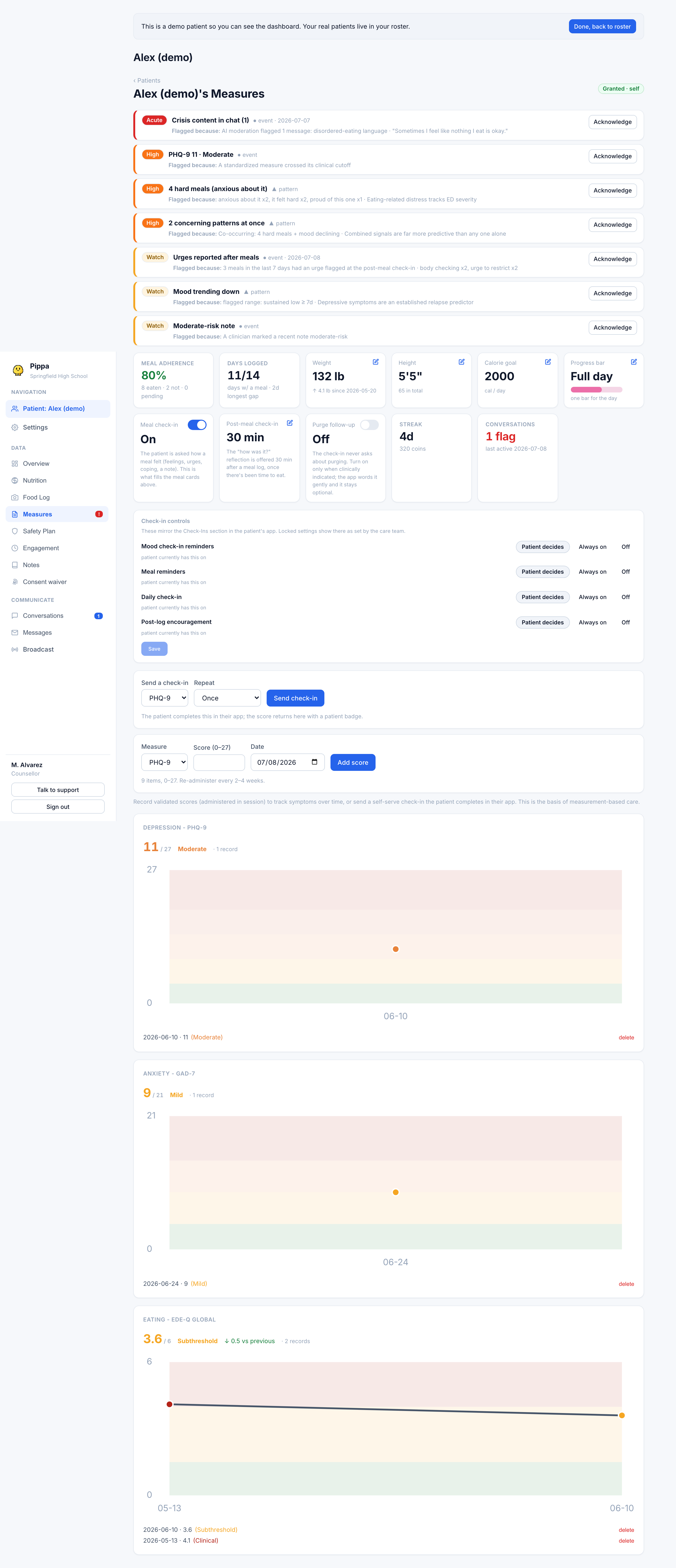
Use the composer at the top of the tab to enter a score you administered yourself.
Choose PHQ-9, GAD-7, SCOFF, EDE-Q, or C-SSRS. The score field limits itself to that instrument's range.
Type the total (or for C-SSRS, the item, see below), set the date administered, and press Add score.
Scores you enter this way are clinician-recorded. Patient-submitted scores carry a patient badge so the two sources stay distinguishable in the history.
Assigning a self-serve check-in
Instead of administering a scale yourself, you can send it to the patient's app. Use the Send a check-in control, choose the instrument, and set the repeat: Once, Weekly, Every 2 weeks, or Monthly. The patient completes it in the app, and the score returns here automatically with the patient badge.
You can assign PHQ-9, GAD-7, SCOFF, and EDE-Q as self-serve check-ins. C-SSRS is not assignable; a suicide-risk screen is recorded by a clinician only.
The C-SSRS entry rule
C-SSRS is entered differently from the other scales. You do not sum items. Enter the highest item the patient endorsed, on this scale:
- 0 none
- 1 wish to be dead
- 2 active suicidal thoughts
- 3 thoughts with method
- 4 intent
- 5 plan
- 6 behavior
A score of 4 or higher (intent, plan, or behavior) is a positive screen and pages the care team. See the crisis playbook for what happens next. A positive C-SSRS should always be paired with the patient's safety plan.
Your clinic's own surveys
The same tab now includes Your clinic’s surveys and Survey answers. Create a survey with scale, choice, or free-text questions, then assign it through Send a check-in. Responses come back question by question, without scores or alert bands. See Custom surveys for the full workflow.
TFBT chain check-ins
The TFBT chain check-in records thoughts, feelings, behaviors, and triggers around one recent hard moment. Open the individual record to read the chain. Its feeling-intensity figure describes that moment; it has no severity band and is not plotted as a trend between administrations. A reported behavior can have its own safety handling, separate from this figure. Read it alongside Hard eating moments.