
Notifications
The support-only notification philosophy, the kinds of reminders that exist, and the signed-in gate.
Pippa's notifications are deliberately quiet and supportive. What is not in them is as important as what is.
Support only, never score-keeping
Every reminder Pippa sends is framed around support and companionship, never around a goal, a number, a calorie count, or a streak. A ping driven by how close someone is to a number ("Goal Complete!", "Almost There!", "you're behind", "5-day streak! 🔥") reads as score-keeping, which spikes anxiety for people in recovery. Goal-complete, calorie-progress, and streak-at-risk notifications were all removed on both platforms.
Note the split: this rule is about notifications. In-app, the pet still celebrates and a streak survives as a quiet chip. Those live inside the app where the client chose to be, not as a push that interrupts their day with a number.
What reminders exist
The allowed shape of a notification is gentle and time-based:
- Meal reminders at the client's meal times, set during onboarding and adjustable in the meal plan. These are companionship nudges, not deadlines.
- Adaptive support nudges, which now anchor to when the patient actually eats rather than to the time they typed once during onboarding. See below.
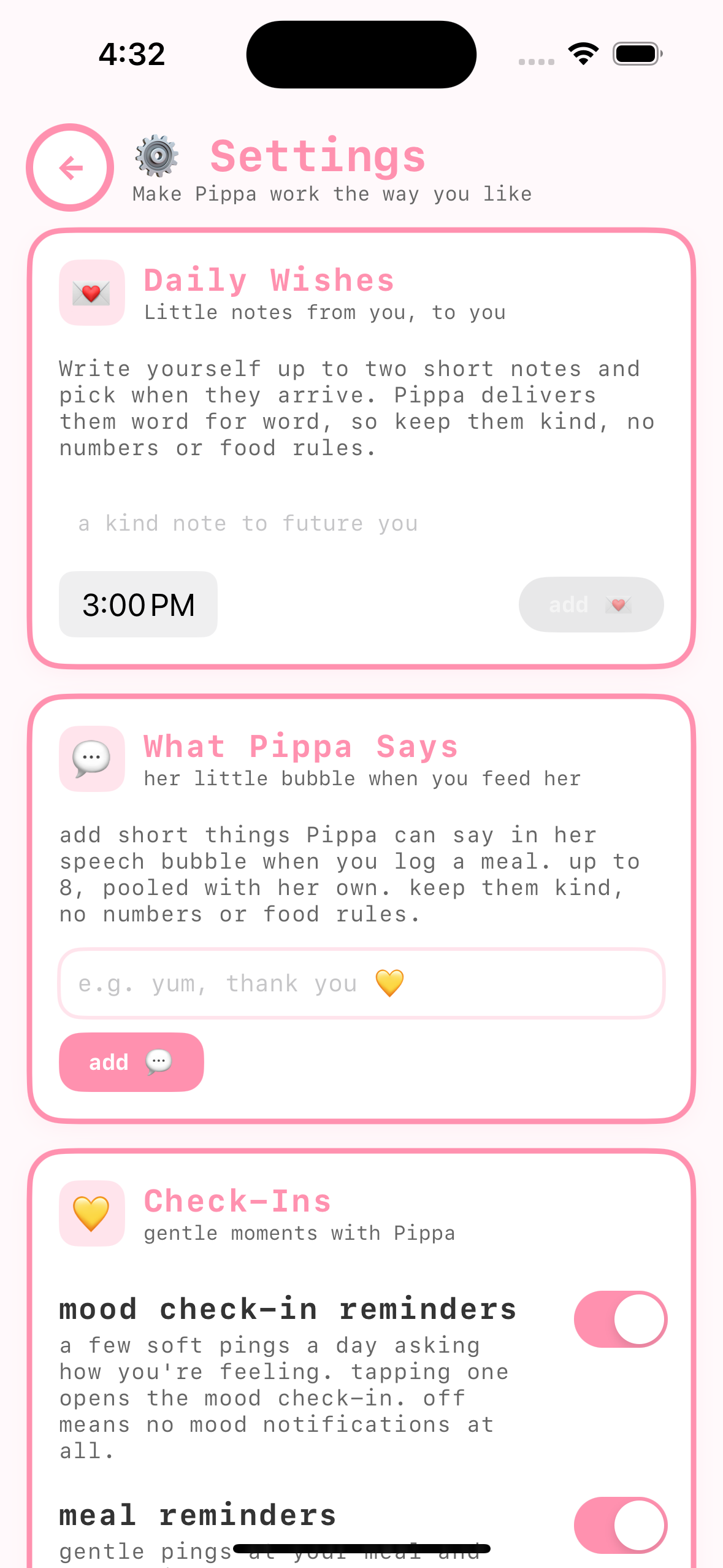
- Mood check-in reminders that deep-link into the mood check-in sheet, titled 💛 Pippa's Checking In with lines like Pippa's thinking of you 💛 How are you feeling right now?
- The delayed post-meal check-in, which arrives a clinician-set number of minutes after a meal is logged (see The post-meal check-in).
- Post-log encouragement, one gentle line after a log or skip, described in Settings as never numbers, never a grade.
- The 9:30 AM nutrition note, only if you enabled it with nutrition visibility: a note from your care team 💛, always number-free.
- A nightly goodnight note, voiced warmly by Pippa.
Reminder times can adapt gently to a client's own logged patterns, but they never become pressure or reference how much was eaten.
Who decides: your per-patient controls
Each reminder family (mood check-in reminders, meal reminders, the daily check-in, and post-log encouragement) has a three-way control you can set per patient from the dashboard:
- Patient decides (the default): the toggle lives in their Settings and they choose. Mood and meal reminders default to on.
- Always on: the patient's toggle is locked on.
- Off: the toggle is locked off, and that reminder family goes quiet.
When you lock a control either way, the patient's Settings shows the toggle dimmed with the note set by your care team 💛, so the decision is visible rather than mysterious. Use the locks sparingly; a patient who chose their own reminders tends to keep them.
The signed-in gate
Pippa never schedules a notification while the client is signed out. Every scheduler checks the sign-in state first, and signing out cancels all pending reminders and deregisters push. So a client who has left or logged out will not keep receiving meal or check-in pings.
The practical upshot for you: reminders follow the client's plan and their app state. If a client is not getting expected nudges, the first things to check are whether notifications are enabled in Settings, whether they are signed in, and whether the relevant reminder toggle is on.
Reminders learn the real time
The times a patient enters at onboarding are a guess, and people drift. Someone who said "12:00" and reliably eats at 13:20 was being counted as missing lunch every single day, and getting a "supportive" nudge half an hour before a meal they were never about to have.
The adaptive layer now anchors to the median logged time for that meal instead. It is deliberately cautious:
- at least four logs near that meal before it trusts the pattern at all
- the anchor can move at most 150 minutes from the configured time — beyond that the app has probably mislabelled something, and quietly relocating a reminder by five hours on a guess is worse than being thirty minutes wrong
- a median rather than an average, so one 3am log cannot drag breakfast
- logs outside a meal's own window are never considered, so dinner cannot teach lunch
Learning only moves the adaptive support layer, which was always measuring against a guess. Where you have set meal-plan slot times, those are a clinical instruction and the reminders keep following them exactly.
The learned time is never shown to the patient, and never described as "your usual time". It changes what minute a notification fires and nothing else. A displayed usual-time becomes a schedule to obey, which is an eating window by another name — and time-restricted eating prospectively predicts binge eating and bulimia in adolescent girls, so no such boundary exists anywhere in the app.
The long-gap bridge
Separately, when the typical longest gap between a patient's logs stretches past five hours (four when recent weight movement suggests more support is needed), a gentle snack-bridge nudge lands at the midpoint of where that gap usually falls.
This is the regular-eating rule from CBT-E — three meals plus two or three snacks, no more than four hours without eating — and it is the opposite intervention to a window. A window narrows when someone eats; regular eating spaces it out and closes the gaps.
Android push and app-open prompts
Both apps support remote push as well as local reminders. Android registers its device with Firebase; push is not an unfinished Android feature. Check system notification permission, sign-in, connectivity, and the relevant care-team setting when delivery is missing.
An assigned survey can be available inside the app even if its notification was missed. Optional self weigh-in is offered on app open when due; it is not a timed notification.