
A 10-minute weekly review
A suggested weekly loop through the dashboard tabs: roster concerns, overview, food log, measures, and conversations, and what to look at in each.
You do not need to read every data point every week. This is a short, repeatable loop that surfaces what changed and what needs a human. Treat the timings as navigation estimates, not a safe review duration or monitoring schedule. Set review frequency and clinical assessment time according to patient needs; a quiet dashboard does not establish stability.
Let the roster tell you where to spend your time. Open patients because something changed, not in alphabetical order.
The loop
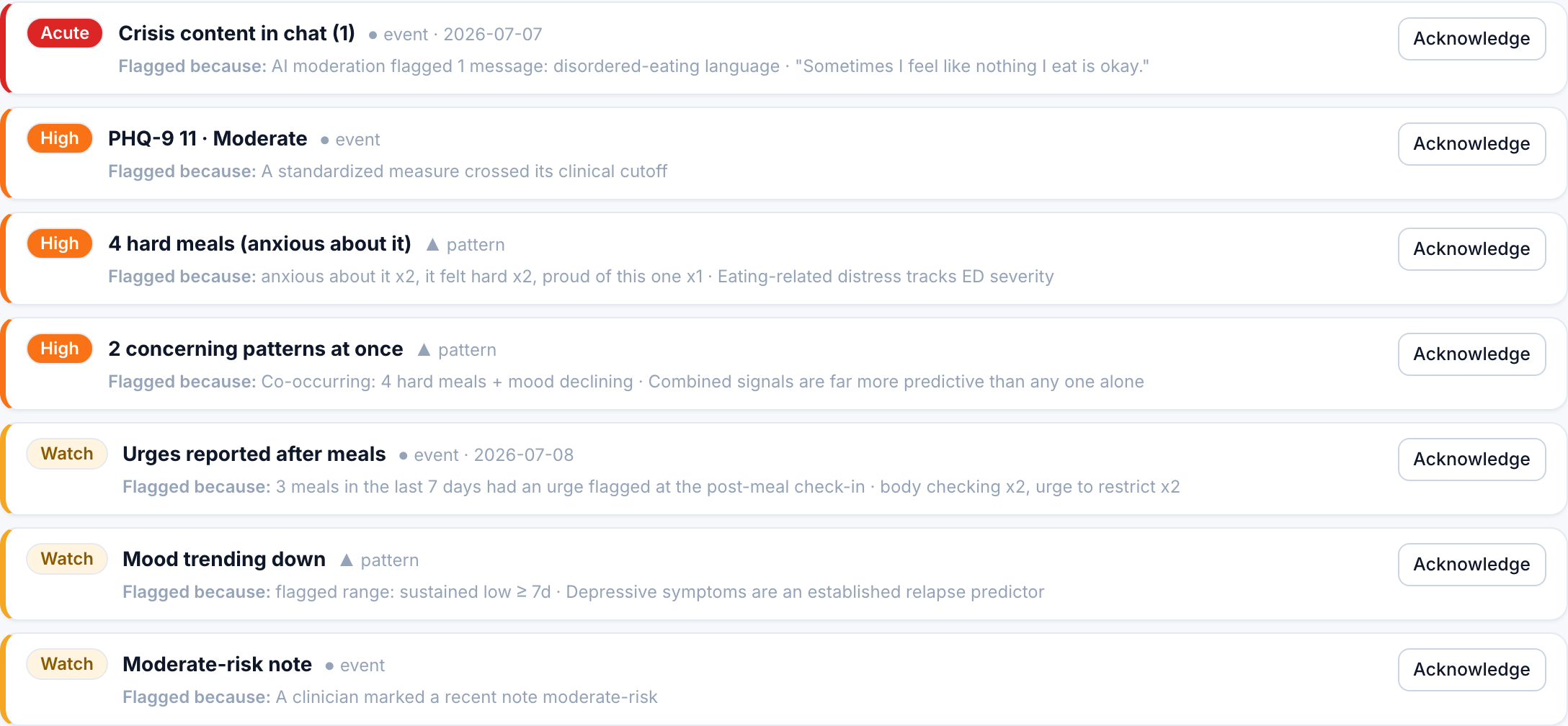
Open the roster. Scan the Flags column and its reasons. The reasons are plain-language signals, for example weight change, meal-skip rate, a chat flag, or a measure in an action band. Note which patients are newly flagged since last week, and open those first.
On a flagged patient's overview, read the concern panel at the top first. It states, in a "Flagged because" line, exactly why the patient surfaced. Then glance at the weight trend and the calories-per-day chart, and check the Meal adherence tile ("did they eat it?"). Not-eaten meals are the key recovery signal, not calorie totals.
Open the food log. Look for skipped or not-eaten meals, long gaps, and the collapsed check-in signals on each meal card: how full the patient felt, any urges flagged, and the coping skills they tried. A short, warm comment on one meal here does more than a long note nobody reads. See messaging well.
On the Measures tab, look at whether PHQ-9, GAD-7, SCOFF, or EDE-Q is moving across weeks. A score newly in an action band deserves a response. If a self-serve check-in is overdue, this is where you would reassign it. See measurement-based care.
On the Pippa AI tab, check for a risk flag and skim the AI memory summary for how the patient has been talking about food, body, and mood. A flag here should already have paged you by email; treat it as a crisis alert if it has not been handled.
Send any messages, leave any meal comments, and jot a quick note on the Notes tab for anyone you acted on. Acknowledge concerns you have reviewed so the care team knows they were seen.
What to skip
You can safely skip the deep nutrition and engagement breakdowns in a routine week. Reach for those when a patient's overview raises a question you want to dig into, not as part of every pass.
If a crisis flag appears at any point in the loop, stop the review and switch to the crisis alert playbook. Do not batch it for later.
For research-backed review priorities beyond engagement and scores, see What the dashboard can miss.