
Roles and what each can do
Clinician, clinic admin, and platform owner: who sees what, and where consent overrides all of it.
Pippa has three staff roles. Most people reading this are clinicians. This page explains what each role can and cannot do, and one rule that sits above all of them: consent.
No role lets you see a client's individual data without that client's consent. A clinic admin cannot see a patient's records just because they run the clinic. Even you, the treating clinician, see a client's detailed data only after they grant consent to you specifically. More on this in Onboarding a patient.
Clinician
This is you: a therapist, dietitian, or other member of a care team. Inside your clinic you work with your own roster of clients.
A clinic admin can tag each clinician with a care-team role (Therapist, Dietician, Clinician, or Counsellor) in Settings → Staff. These are labels only: they show on the care team and as authorship on notes and edits, and never change what a teammate can access. Several clinicians (including some at other clinics) can share one patient; see The care team.
What a clinician can do:
- Add a client to your roster by email and send them the consent agreement.
- Once a client grants consent to you, open their patient page and review meal adherence, weight, calorie trends, measures, the safety plan, conversations, and messages.
- Set clinician-owned values: weight, height, calorie goal, and the app's progress-bar mode.
- Turn per-client app behavior on or off: the post-meal check-in and its questions (including custom ones and the purge follow-up), the check-in delay, and nutrition visibility.
- Message a client, post broadcasts to your consenting clients, and write clinical notes.
- Acknowledge at-risk alerts and respond to crisis escalation emails.
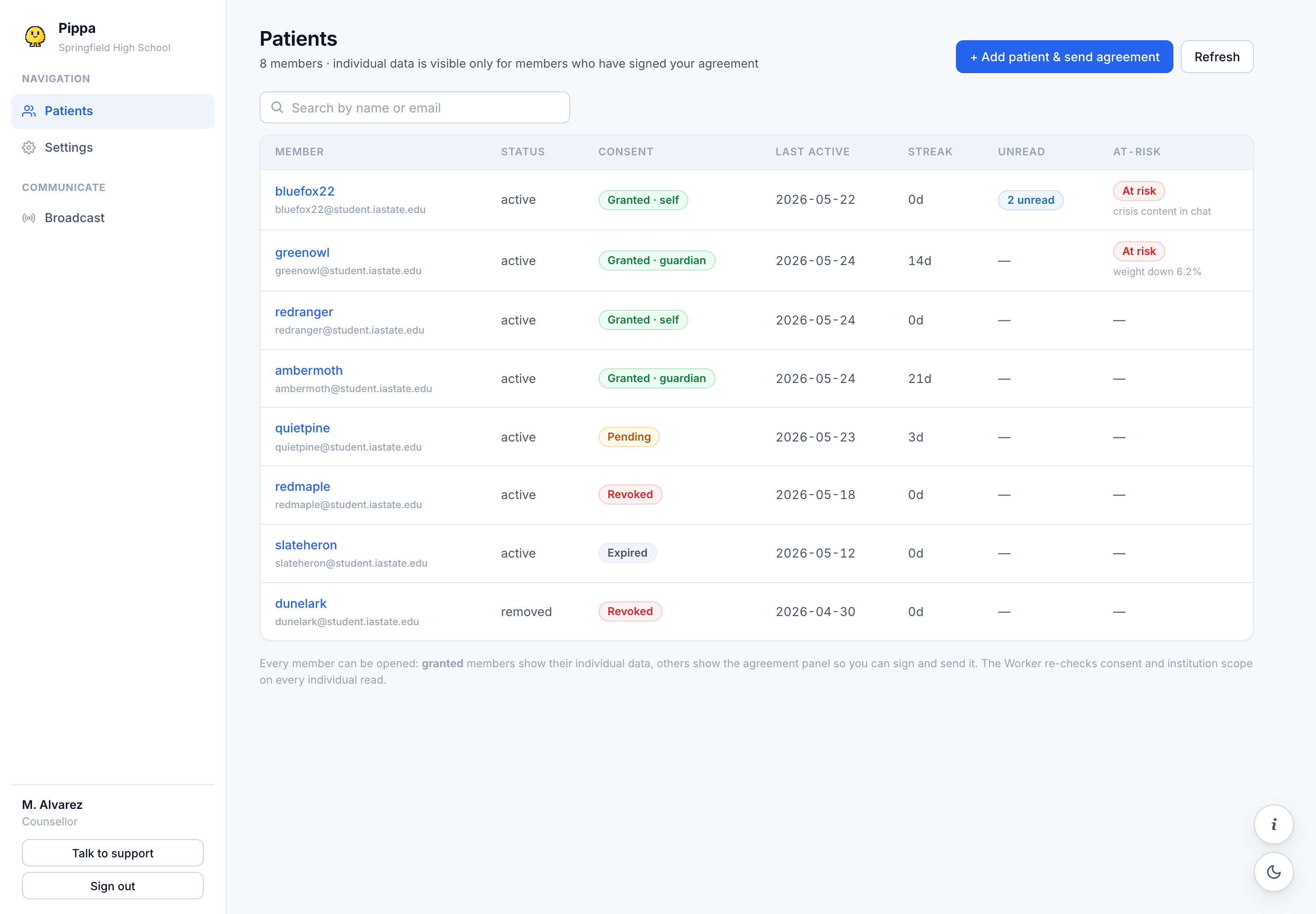
A grant to you does not let a colleague see that client, and a colleague's grant does not let you. Each clinician needs their own consent from each client. Nobody can share access.
Clinic or group admin
A clinic admin runs a single institution (a clinic, school, or university) inside Pippa.
What a clinic admin can do:
- Manage the institution's profile and staff. Invite other clinicians by email, which creates their account and sends a sign-in link; see Adding your team.
- See a plain live count of supervised members. There is no seat cap and no "buy more seats." The count is simply how many active members the institution currently supervises.
- Act as a clinician too, with their own roster and their own consent from each client.
What a clinic admin cannot do:
- See any client's individual clinical data without that specific client's consent granted to them. Running the clinic does not grant clinical visibility.
Super admin (platform owner)
The super admin is the Pippa platform owner, across all institutions. This is us, not clinic staff. It exists so we can support you, not so we can read patient data.
What a super admin does:
- Create and verify institutions, and invite the first clinic admin for a new institution.
- Operate the Clinician Hub itself: the question log, feedback triage, and forum moderation.
A super admin does not sit inside any single clinic's roster and is not a route to a patient's clinical records.
Quick comparison
| Can they... | Clinician | Clinic admin | Super admin |
|---|---|---|---|
| Add clients to a roster | Yes | Yes | No |
| See a client's data (with that client's consent) | Yes | Yes | No |
| See a client's data without consent | No | No | No |
| Manage institution staff and profile | No | Yes | No |
| Create and verify institutions | No | No | Yes |
Clinician: my clients, with their consent. Clinic admin: my clinic's staff, plus my own clients with their consent. Super admin: the platform, never the patients.
Next, walk through Your first 15 minutes.