
The consent model
Pending vs granted, what each stage unlocks, and how a patient grants or revokes access to their data.
Pippa is built on a simple rule: you see a patient's individual data only after that patient has signed an agreement authorizing you, personally, to see it. Nothing is shared by default, and adding someone to your roster does not open their records.
Two stages: pending and granted
Every patient on your roster carries a consent state. The two that matter day to day are Pending and Granted. There are also Revoked, Expired, and Removed states, and only Granted ever unlocks individual data.
What you can see while consent is Pending
Before consent is granted you see almost nothing about the individual:
- Their roster entry (name once they have signed, or their contact email placeholder).
- Their consent status.
- A chat safety signal only. If a non-consented patient's AI chat trips a crisis flag, you are still alerted so no one falls through the cracks. You do not get their records.
You cannot open their food logs, weight, measures, engagement, chat, or profile.
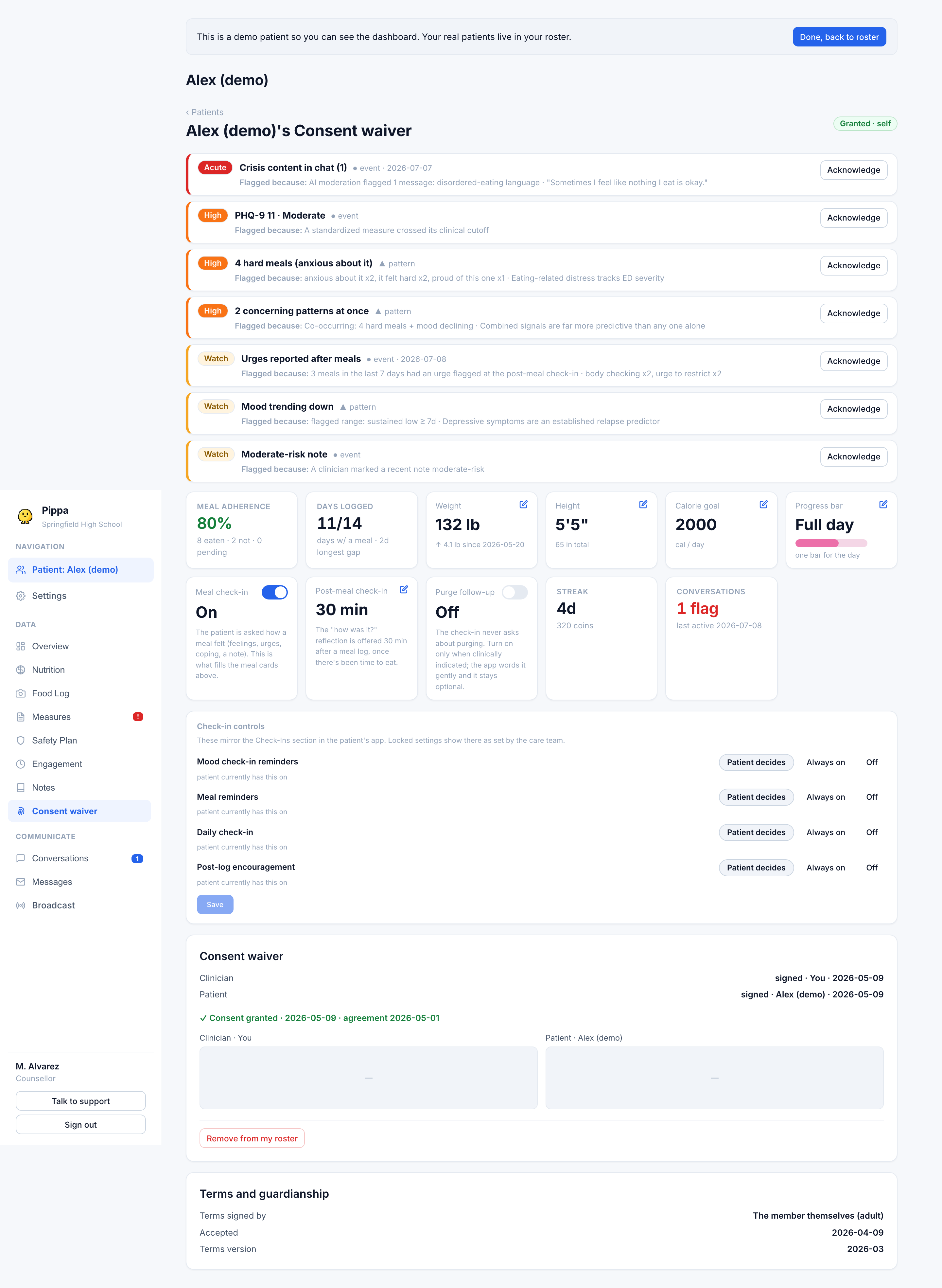
What Granted unlocks
Once consent is granted, the patient page opens up to their full individual data: food and meal logs (including meal photos), weight history, engagement and streaks, profile, clinician-entered measures, and their AI chat content (summaries and stored facts). The signed agreement authorizes all of this explicitly, chat included.
A grant is for you alone. If a patient signs for you, that does not let a colleague, an admin, or a counsellor at the same institution see their data. Each clinician who wants access must obtain their own separate signed agreement. Nobody can share a grant.
How a patient grants access
On the patient page, draw your signature, then Sign & send to patient. This stores your signature and emails the patient a signing link.
They open the link, read the full authorization, type their name, and draw a signature. The link carries zero health content and expires if you re-send a fresh one.
With both signatures on file, the state becomes Granted and their data appears. Both signers are emailed a copy of the agreement for their records.
If the patient has not signed yet, use Re-send link. Your signature on file is reused, so you do not re-sign.
A signature and a date are what make an authorization valid under the HIPAA Privacy Rule (45 CFR §164.508), and an electronic signature counts. Pippa asked both signers for a photo of themselves at signing for a time; it was never required, so it is no longer collected. Agreements signed while it was in place keep the photo on their audit record.
How consent is revoked
The patient can revoke at any time, from the app's own agreements screen. When they do, the state becomes Revoked and your access closes. You can also Remove from my roster yourself, which sets the record to Removed. Restoring a removed or revoked patient means signing and sending the same agreement again from scratch.
Revoking stops new access. It does not claw back information you already viewed or notes you already wrote.